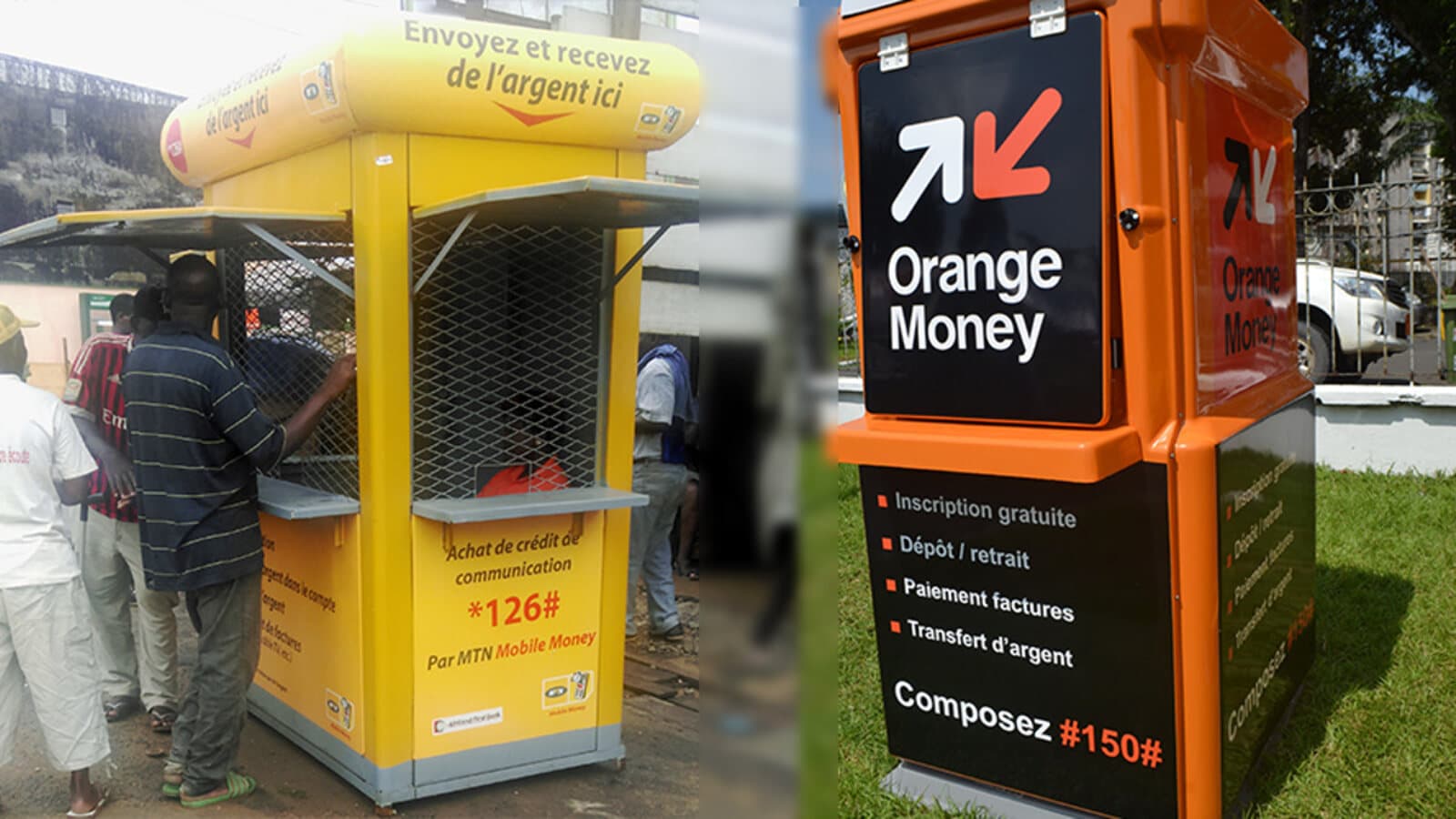
In Cameroon, Mobile Money is no longer an "alternative payment method" — it is a primary channel. MTN MoMo and Orange Money pay invoices, salaries, supplier bills and retail sales every day. Yet many SMEs still treat them as a separate flow: money received on the owner's phone, checked on the app, then forgotten in the books. The result: a hole in the ledger, reconciliation errors, and approximate tax filings.
This guide explains how to integrate Mobile Money into your accounting rigorously, in compliance with SYSCOHADA (Système Comptable de l'OHADA, the harmonized accounting framework), without spending hours transcribing statements.
Why Mobile Money must be in your books
Accounting must reflect all financial flows of the business. When a customer pays XAF 150,000 via MTN MoMo for an invoice, that is a receipt on a par with a bank transfer or cash. Ignoring it in accounting means:
- Understated revenue. Your actual turnover is higher than your books show.
- Wrong customer receivables. The invoice stays "unpaid" in your system when it has been settled.
- VAT errors. If you are under the réel regime, output VAT must reflect all receipts, including Mobile Money.
- Impossible bank reconciliation. The money ends up in your bank account (or stays on the MoMo account) with no match in your ledger.
The SYSCOHADA chart and Mobile Money
In the OHADA (Organization for the Harmonization of Business Law in Africa) eight-class chart, Mobile Money accounts sit in class 5 — financial accounts. The logic is the same as for a bank account:
- Account 52xxx: Banks (for traditional bank transfers).
- Account 57xxx: Cash (for physical money).
- Account 58xxx or 53xxx: Mobile Money treasury accounts (to create according to your analytical chart).
In practice, many SMEs create two analytical accounts:
- 531 — MTN MoMo
- 532 — Orange Money
These accounts work exactly like a bank account: a debit balance means money is waiting on the MoMo account; a credit balance means a withdrawal or transfer.
How to record a Mobile Money payment
Case 1: a customer pays an invoice by MoMo
Your client Mr. Nkoulou pays you XAF 150,000 via MTN MoMo for invoice INV-2026-042. The entry:
| Account | Description | Debit | Credit |
|---|---|---|---|
| 531 | MTN MoMo | 150,000 | |
| 411 | Mr. Nkoulou — customer | 150,000 |
The customer receivable is settled. The MoMo balance increases.
Case 2: you transfer from MoMo to the bank
You transfer XAF 500,000 from your MTN MoMo account to your BICEC bank account:
| Account | Description | Debit | Credit |
|---|---|---|---|
| 521 | BICEC | 500,000 | |
| 531 | MTN MoMo | 500,000 |
The MoMo balance decreases, the bank balance increases. It is an internal transfer — no impact on profit.
Case 3: you pay a supplier by MoMo
You pay XAF 80,000 to a supplier via Orange Money:
| Account | Description | Debit | Credit |
|---|---|---|---|
| 401 | Supplier | 80,000 | |
| 532 | Orange Money | 80,000 |
The supplier debt is settled. The OM balance decreases.
Case 4: Mobile Money transaction fees
MTN charges 1% on a XAF 200,000 withdrawal (XAF 2,000):
| Account | Description | Debit | Credit |
|---|---|---|---|
| 521 | BICEC (amount received) | 198,000 | |
| 627 | Banking and financial charges | 2,000 | |
| 531 | MTN MoMo | 200,000 |
Transaction fees are deductible expenses, recorded in class 6.
Mobile Money reconciliation
Reconciliation means comparing your MoMo/OM statements with your accounting entries — exactly like bank reconciliation. Ideal frequency: weekly, because Mobile Money transaction volumes are often higher than bank transfers.
Steps:
- Download the statement from the MoMo app or operator portal.
- Compare each line with the entries recorded in your accounting.
- Identify gaps: unrecorded transactions, duplicates, amount errors.
- Post the necessary adjustments.
Without integrated software, this process is tedious. An ERP that handles Mobile Money as a first-class method automates much of this reconciliation.
VAT and Mobile Money
If you are under the réel regime, VAT applies to the invoice, not the payment method. A customer who pays a tax-inclusive invoice of XAF 119,250 by MoMo already has VAT included in the price. The payment method changes nothing about the VAT calculation.
However, if you sell directly over the counter and collect by MoMo (retail sales, for example), VAT must be calculated on the selling price and the net/VAT/gross amounts must be traced. This is a point of vigilance for shops and restaurants that collect heavily via Mobile Money.
For more details on VAT calculation, see our complete VAT guide for Cameroon.
The most common mistakes
- Mixing personal and business Mobile Money. Using the same MoMo account for personal expenses and business makes reconciliation impossible and creates fiscal confusion. Open a dedicated business MoMo account.
- Not recording MoMo payments in accounting. Money received on MoMo is a business receipt, not an off-books "bonus."
- Forgetting transaction fees. MoMo/OM commissions are deductible expenses. Forgetting them overstates your profit.
- Confusing receipt with invoicing. A MoMo payment received does not replace an invoice issued. The invoice documents the sale; the MoMo documents the settlement.
- Not reconciling. Without regular reconciliation, errors accumulate and become problems during tax filings.
Dashboard: Cash + Bank + MoMo + OM
Good cash-flow management should display your available funds by channel:
| Channel | Balance |
|---|---|
| Cash | XAF 245,000 |
| Bank (BICEC) | XAF 3,200,000 |
| MTN MoMo | XAF 890,000 |
| Orange Money | XAF 415,000 |
| Total available | XAF 4,750,000 |
This per-channel view is essential in Cameroon, where money flows across four channels simultaneously. An ERP that displays this view in real time saves you from checking four different apps.
Why NexaCore BOS
NexaCore treats MTN MoMo and Orange Money as first-class payment methods, on a par with bank transfers and cash. Mobile Money payments are recorded directly in accounting, with the appropriate class-5 accounts. Reconciliation happens in the same system. The "Your business this week" dashboard displays your available funds by channel. And invoicing, accounting and VAT filings all draw on the same data — Mobile Money included — with no re-keying.
Try NexaCore BOS free, nothing to install.
FAQ
Must I declare income received by Mobile Money?
Yes. Money received via MoMo or Orange Money in the course of your business activity is a business receipt. It must appear in your accounting and, if you are VAT-registered, in your tax base.
How do I open a business Mobile Money account?
MTN and Orange offer merchant accounts. Contact the operator for terms. The important thing is to separate your personal Mobile Money from your business Mobile Money.
Are Mobile Money fees deductible?
Yes. Commissions charged by the operator on business transactions are deductible financial expenses (account 627 in the SYSCOHADA chart).
Can I pay employees by Mobile Money?
Yes, many Cameroonian SMEs do. Payment by MoMo or OM is a salary settlement method. Keep proof of payment (screenshot or receipt) and record the payroll entry as normal.
How do I reconcile my Mobile Money account?
Download the transaction statement from the app or operator portal, then compare it line by line with your accounting entries. Do it weekly to avoid accumulating gaps.
Go from theory to practice
NexaCore BOS does all of this for you: OHADA accounting, FCFA invoicing, payroll and more. Free trial.
Start for free